

In today's video, I'll be showing you a simple pattern adjustment that you can do to move along a side or waist seam. Darts are most often used to shape the bust or waist and are usually found in side or waist seams. Because we all have different bodies, you’ll sometimes get a better fit if you move the dart just slightly. In the video and diagrams, I'll show you how to move a bust dart up or down along a side seam and how to move a waist seam dart to the left or right. (Note, there are more complicated pattern adjustments where you can pivot a dart to move it to a different seam. I’m not covering how to do that in this post.)
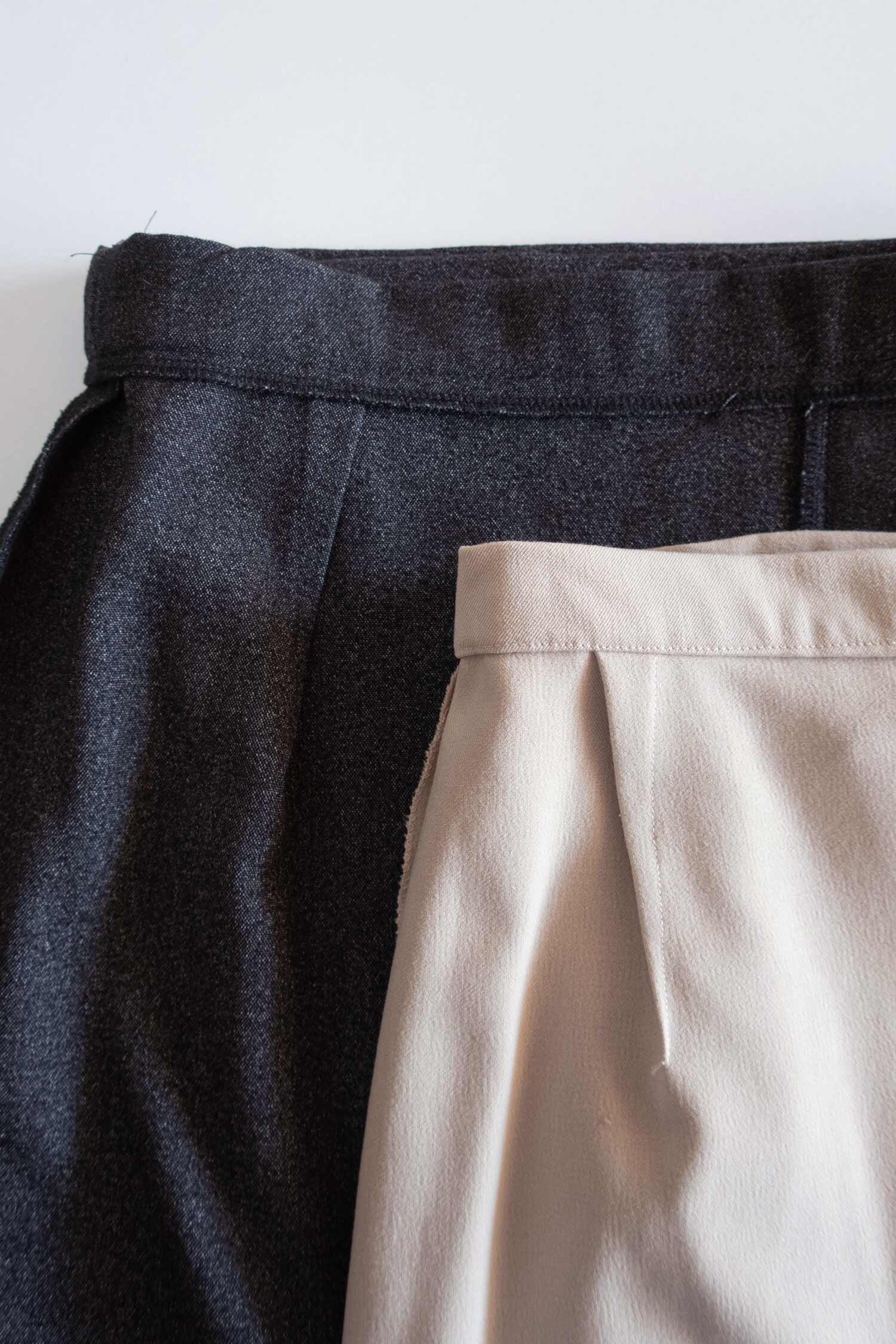
Before you get started moving a dart, you should make a muslin (aka toile) of the garment you’re sewing and decide if this is a fitting adjustment that would help you. If you’re unsure how to sew a dart, check out my tutorial here.
Make sure to try on the muslin while wearing the underwear you plan to wear with the finished garment and evaluate the position of the dart. You want the end of the dart to be pointing towards the fullest part of the bust, buttocks or tummy. If the dart is pointing elsewhere, measure how far the dart needs to move and write it down, along with the direction it needs to go.

The most common adjustment is to move a bust dart down which is why it’s really important to wear the same bra when fitting that you will wear with the final garment. Fortunately, it’s a pretty easy adjustment to make and only takes a few minutes, some scissors, tape and a ruler. You can watch the video above (or on YouTube here). Or, if videos aren’t your thing, you can scroll down to check out the diagrams and written instructions.
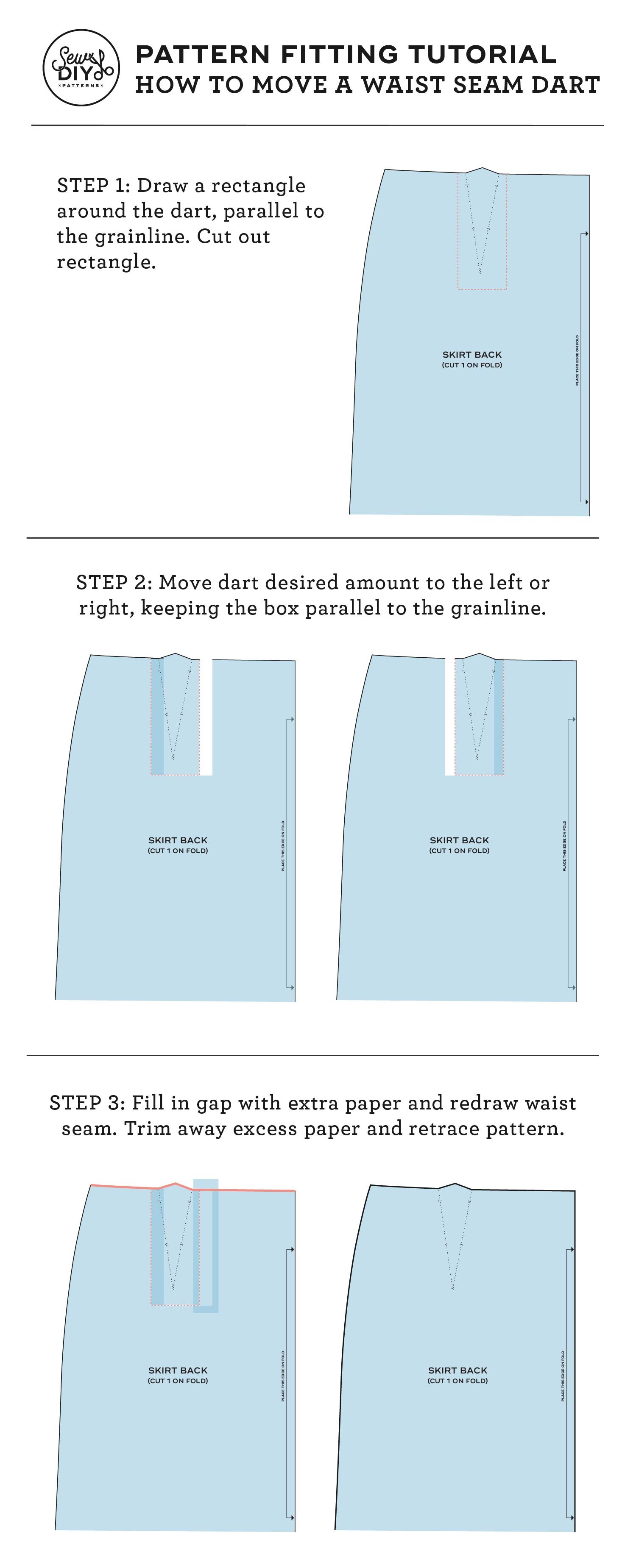
How to move a waist seam dart to the left or right
STEP 1: Draw a rectangle around the dart, parallel to the grainline. Cut out rectangle.
STEP 2: Move dart desired amount to the left or right, keeping the box parallel to the grainline.
STEP 3: Fill in the gap with extra paper and redraw the waist seam (seen in pink above). Trim away excess paper and retrace pattern.
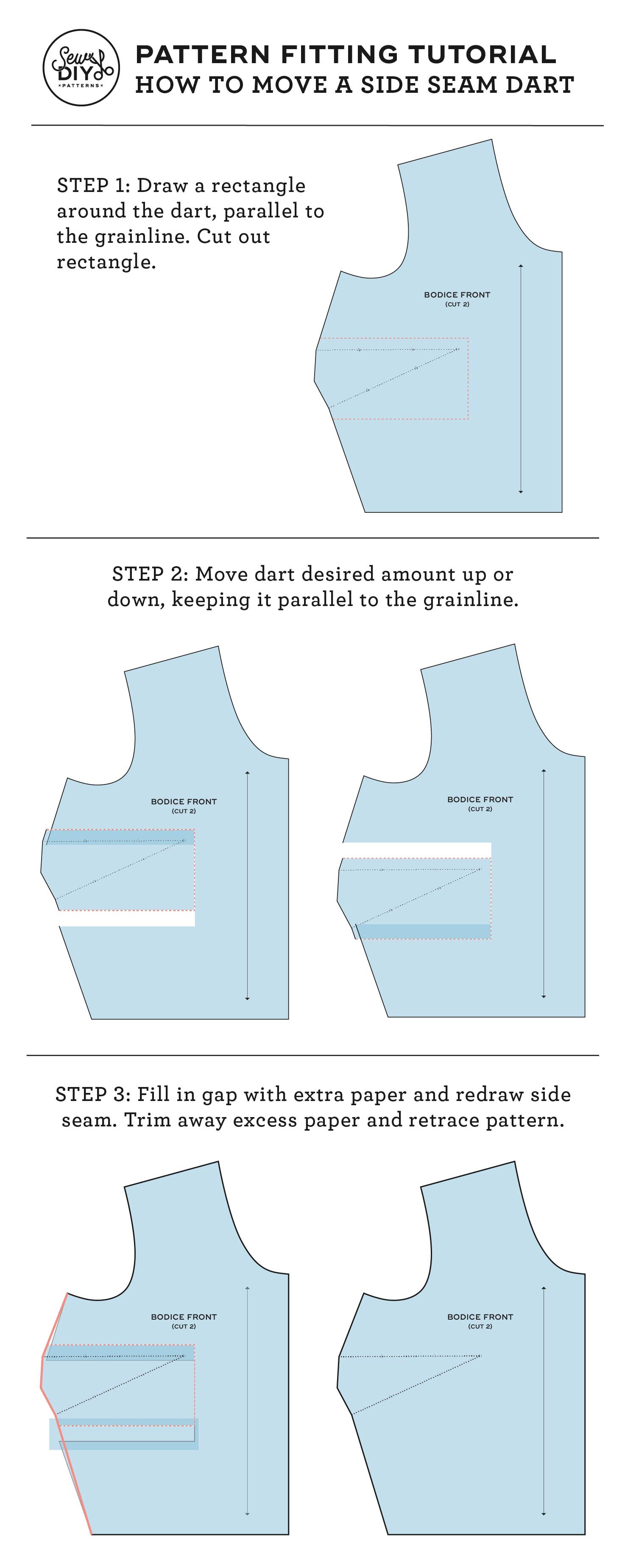
How to move a bust up or down along a side seam
STEP 1: Draw a rectangle around the dart, parallel to the grainline. Cut out rectangle.
STEP 2: Move dart desired amount up or down, keeping it parallel to the grainline.
STEP 3: Fill in gap with extra paper and redraw side seam (seen in pink above). Trim away excess paper and retrace pattern.
Tip: You may want to double check the the new side seam is still the same length as the back side seam and adjust as needed. It’s a small adjustment though, so it should still be pretty close.
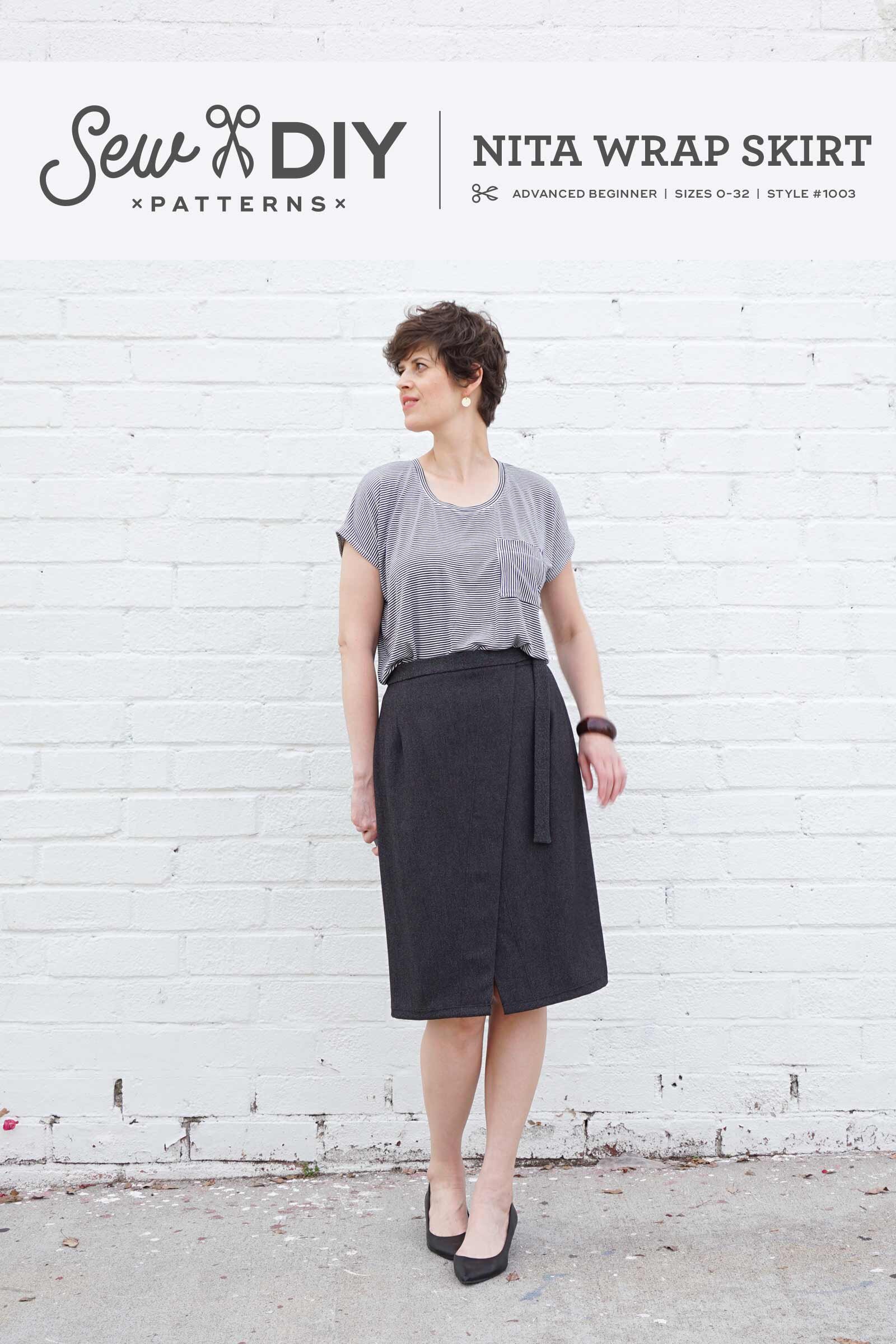
I hope that you found this tutorial helpful. You can pin the image above to save for later and if you’d like to try sewing a pattern with darts, I have two intermediate level patterns in the shop that feature them, the Nita Wrap Skirt and the Dana Jumpsuit. Happy sewing!









These semi-fitted tops and sundress feature a square neckline, side bust darts and are fitted at the back with a combination of narrow elastic and criss-crossed lacing. View A is a crop top that ends at the waistline. View B has a ruffled peplum and ends at the high hip. View C is a dress with a calf-length skirt and ruffle at the hem.
The pattern is a hybrid of a traditional pattern that you need to print and a zero-waste style pattern. You will need to print (or project) the front bodice and front facing pattern pieces. The remaining pattern pieces are rectangles that you can draw directly on your fabric (or paper) and then cut out, saving you paper and fabric.
This digital pattern includes an illustrated, step-by-step instruction booklet, a print-at-home layered pattern for letter or A4 size paper, a US copy shop pattern, an A0 size pattern and a projector pattern. All pattern files have layers. Pattern files are separated by cup size so that you can easily print only the pattern pieces that you need.
Visit the sewalong for more information, tips and tutorials.
Model is 5’11” and is wearing a size 12 C/D cup.
THIS IS NOT A PHYSICAL PRODUCT. After checkout, you will receive a link to the pattern that will be active for 24 hours after you click it. Prices are in USD.